Everything RVS brings to your institution.
A comprehensive view of what's inside the ecosystem — grouped the way an institution actually adopts it: operations first, intelligence next, learning and infrastructure alongside.
Run the institution
The operational layer — students, teachers, workflows, communication and records.
Explore School OS →Inside RVS AI School OS
Real product interfaces, grouped by role. Every screen a principal, teacher or student actually opens.
For Principals & Administration
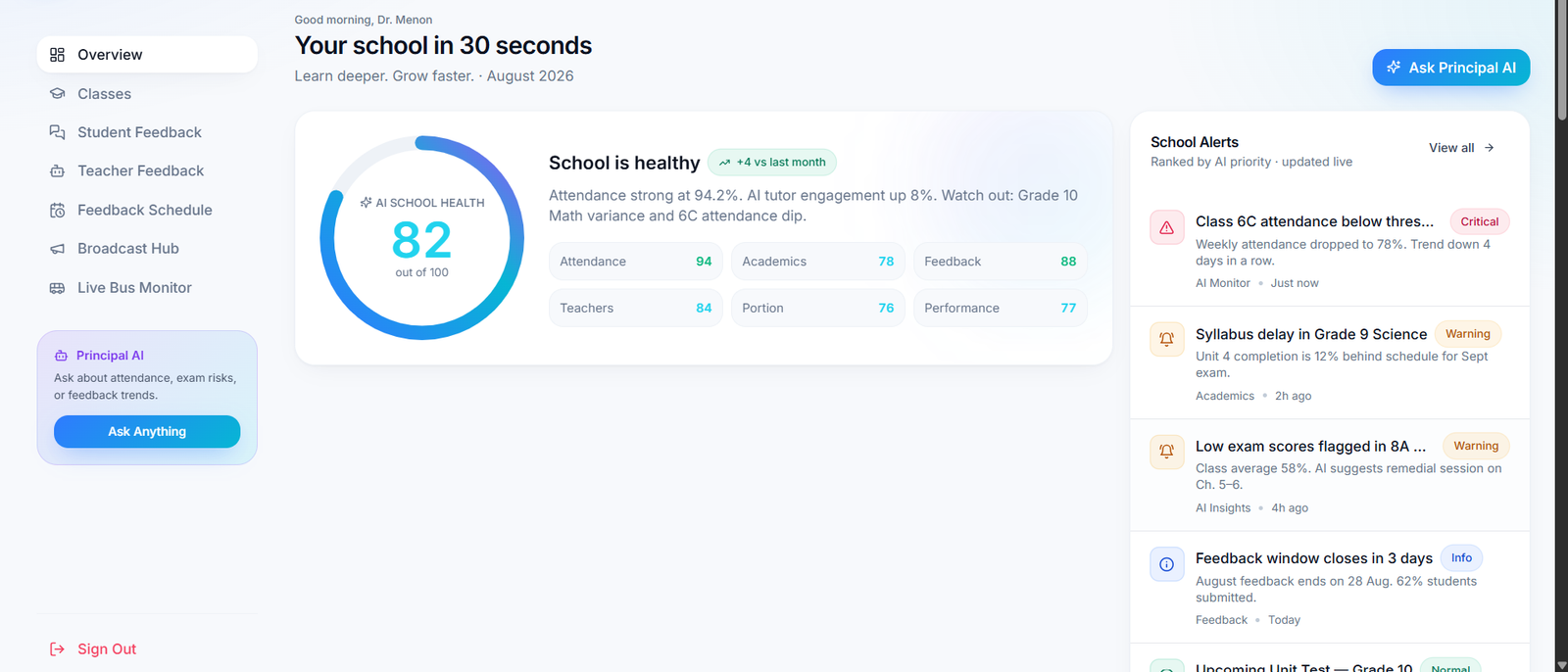
Live AI school-health score with prioritised alerts. Ask Principal AI answers questions about attendance, exam risk and feedback trends in seconds.
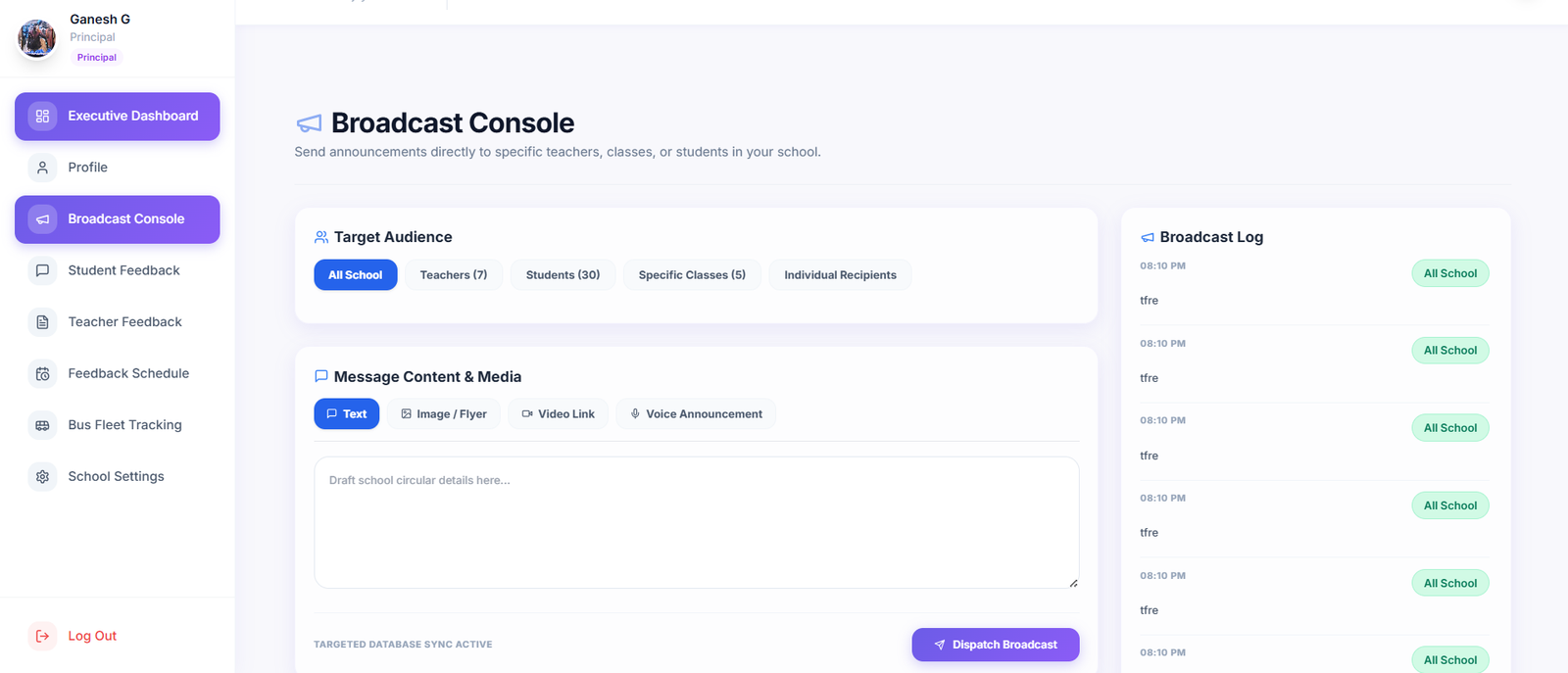
Dispatch announcements to the whole school or any subset — teachers, classes, individual recipients — with a delivery log for every send.
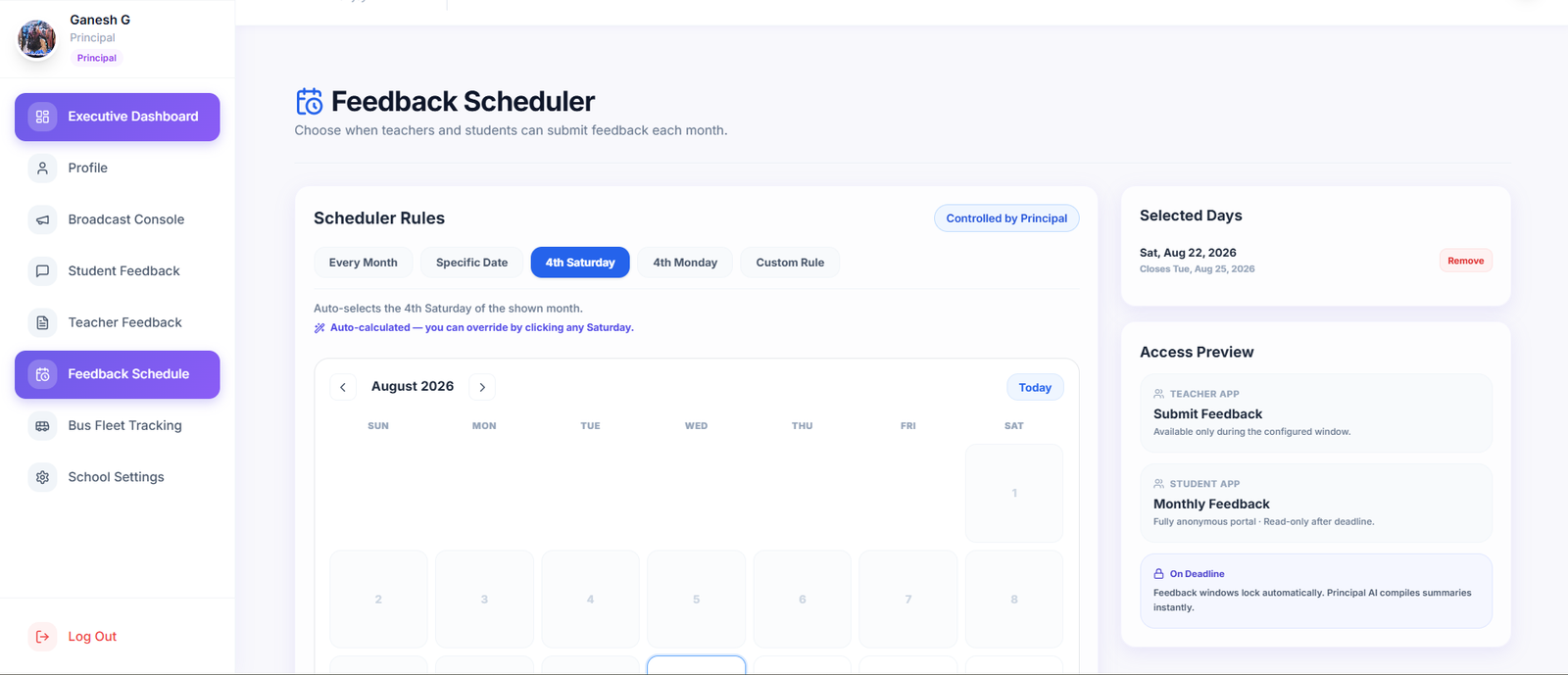
Configure the monthly feedback window (4th Saturday, custom rule, or specific date). Teacher and student apps unlock automatically inside the window.
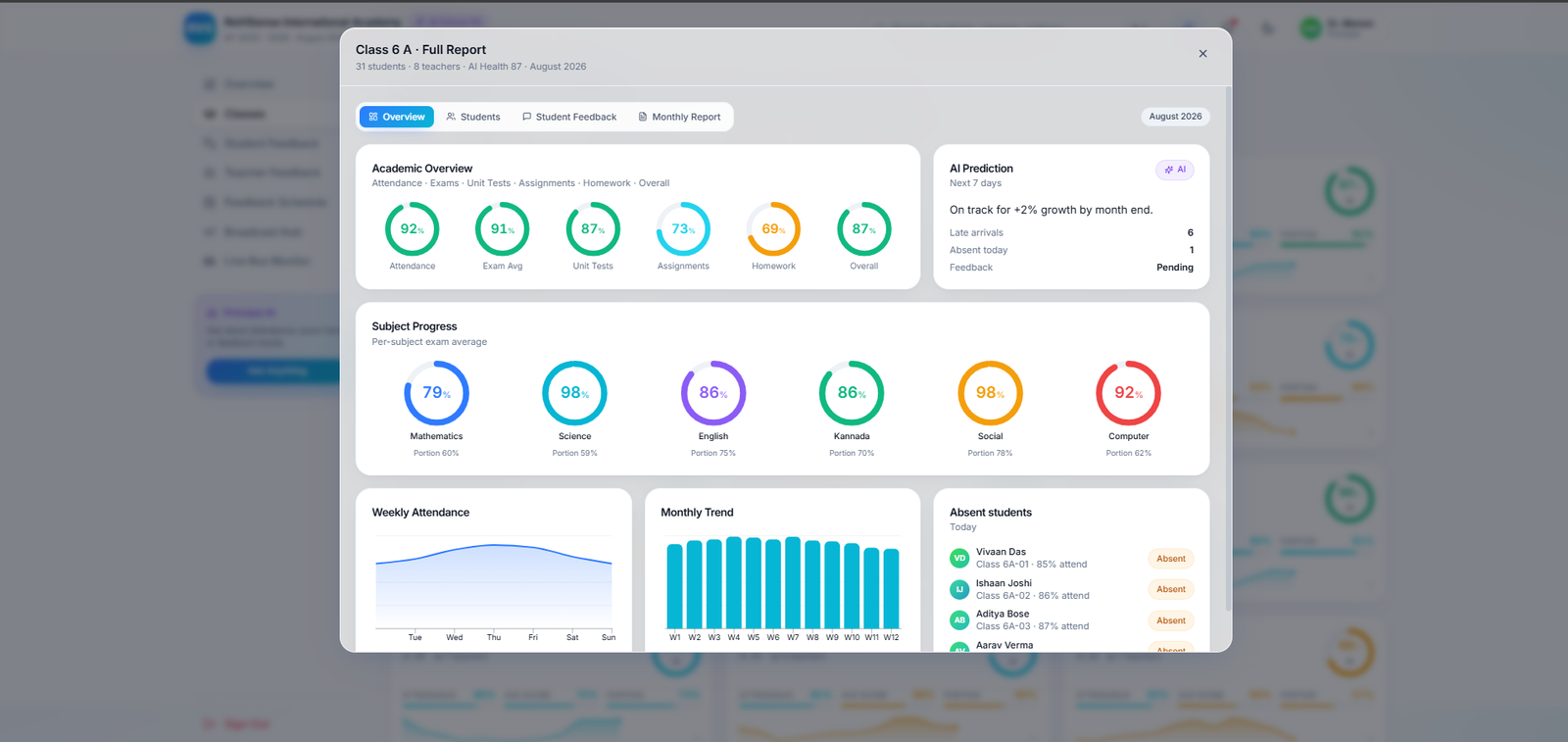
Per-class academic breakdown — subject progress, weekly attendance, unit-test averages and AI-predicted trajectory.
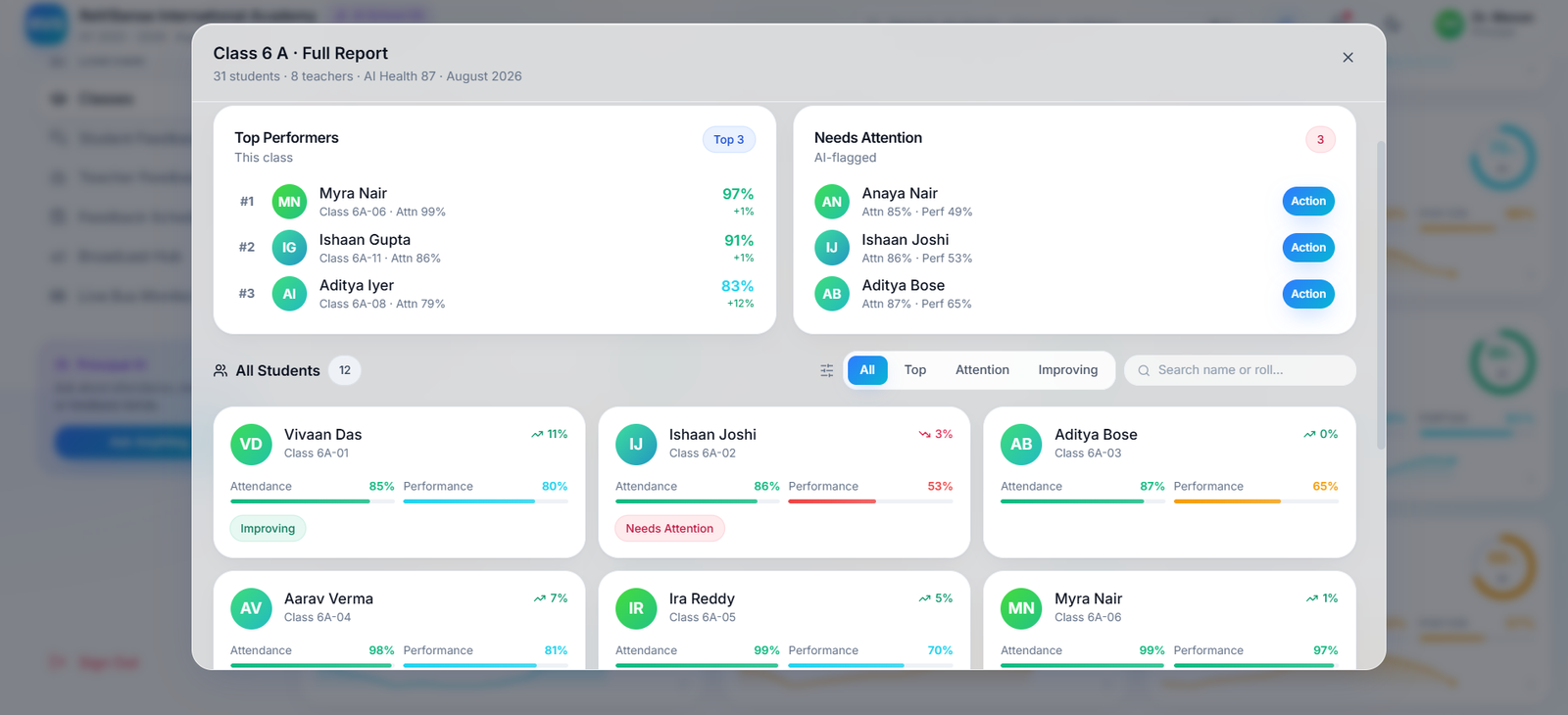
Top performers and needs-attention students, ranked automatically. One click sends a mentor task.
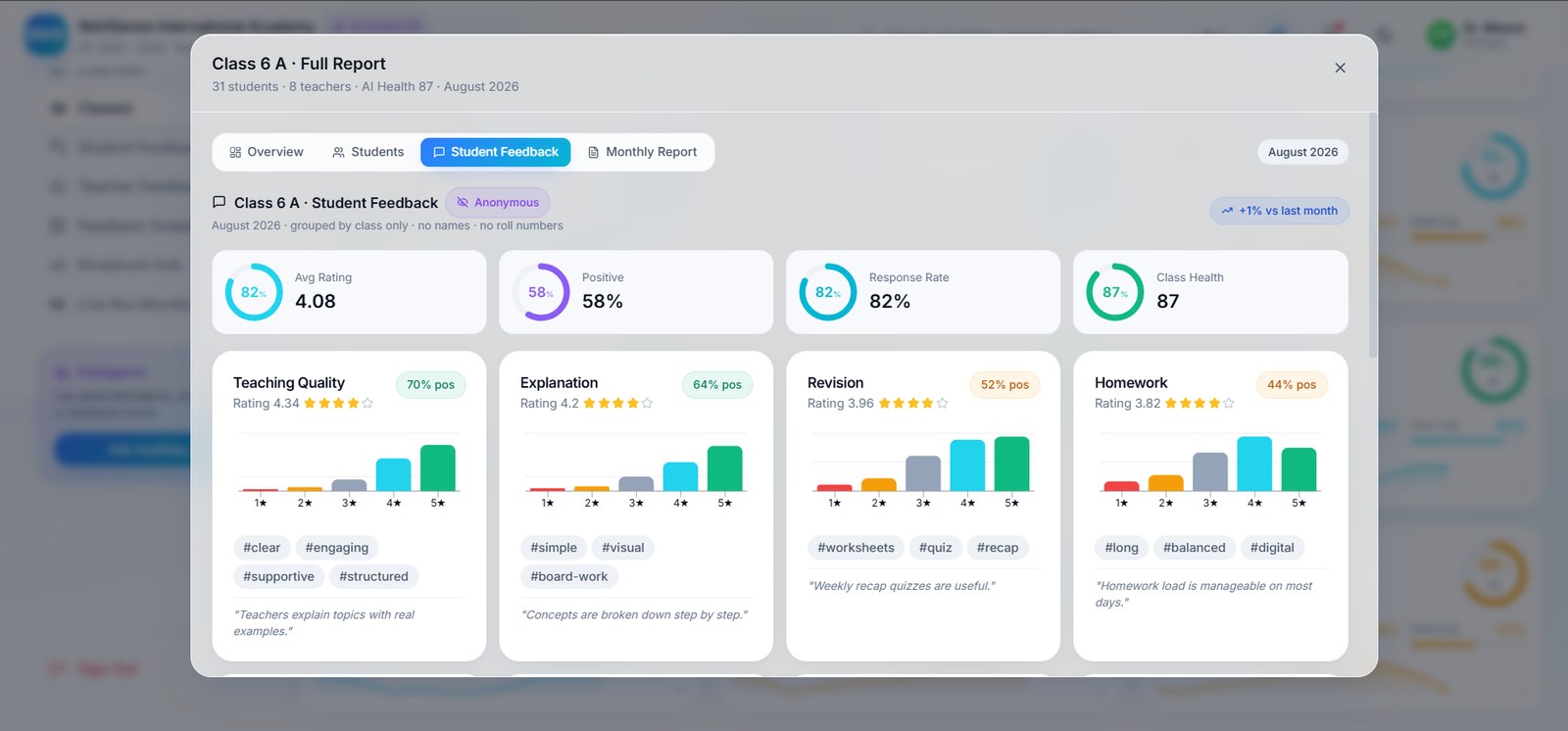
Per-class dimension breakdown (teaching quality, revision, homework) with class-tagged trends and quotes.
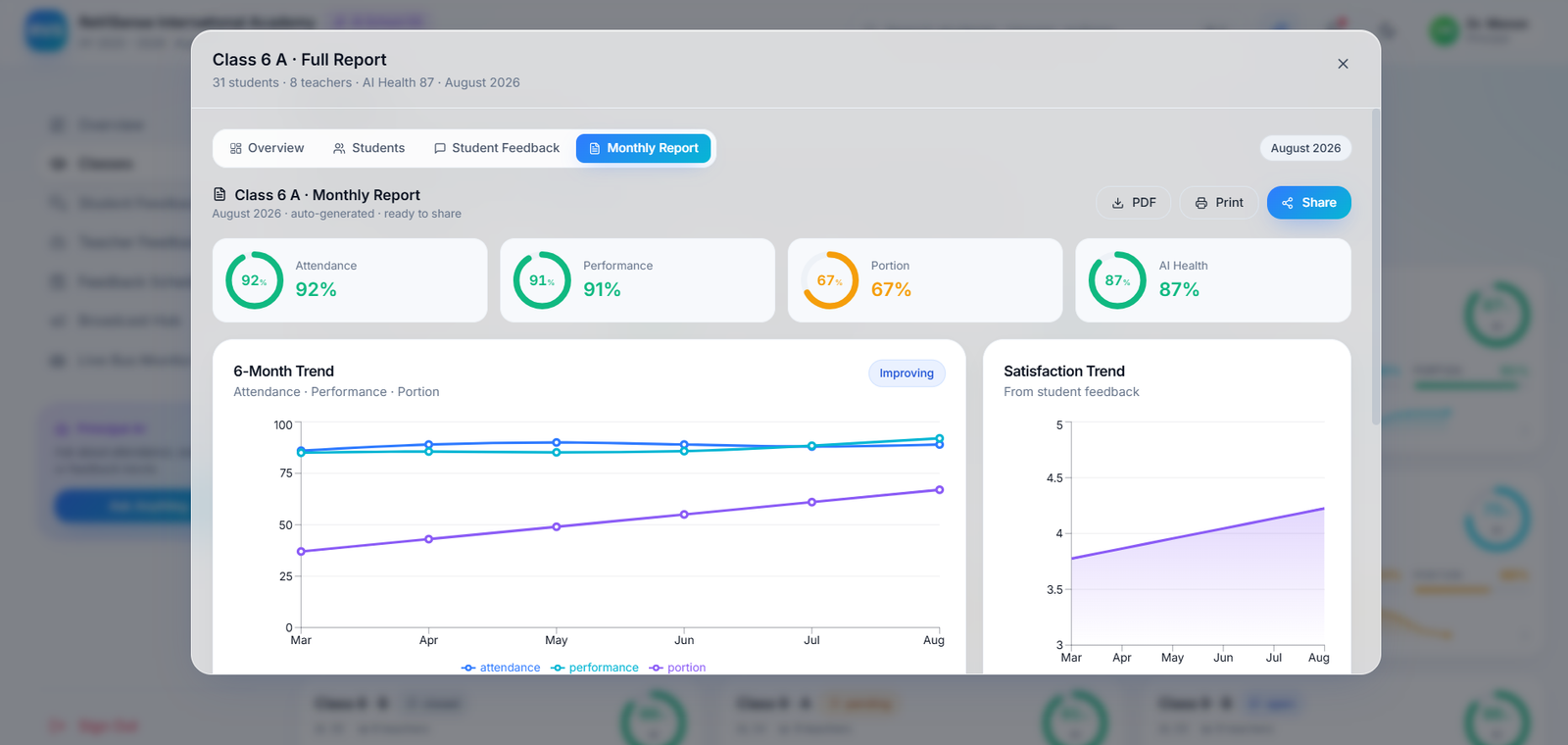
Auto-generated six-month trend across attendance, performance, portion and satisfaction — printable, shareable, board-ready.
For Teachers & Mentors
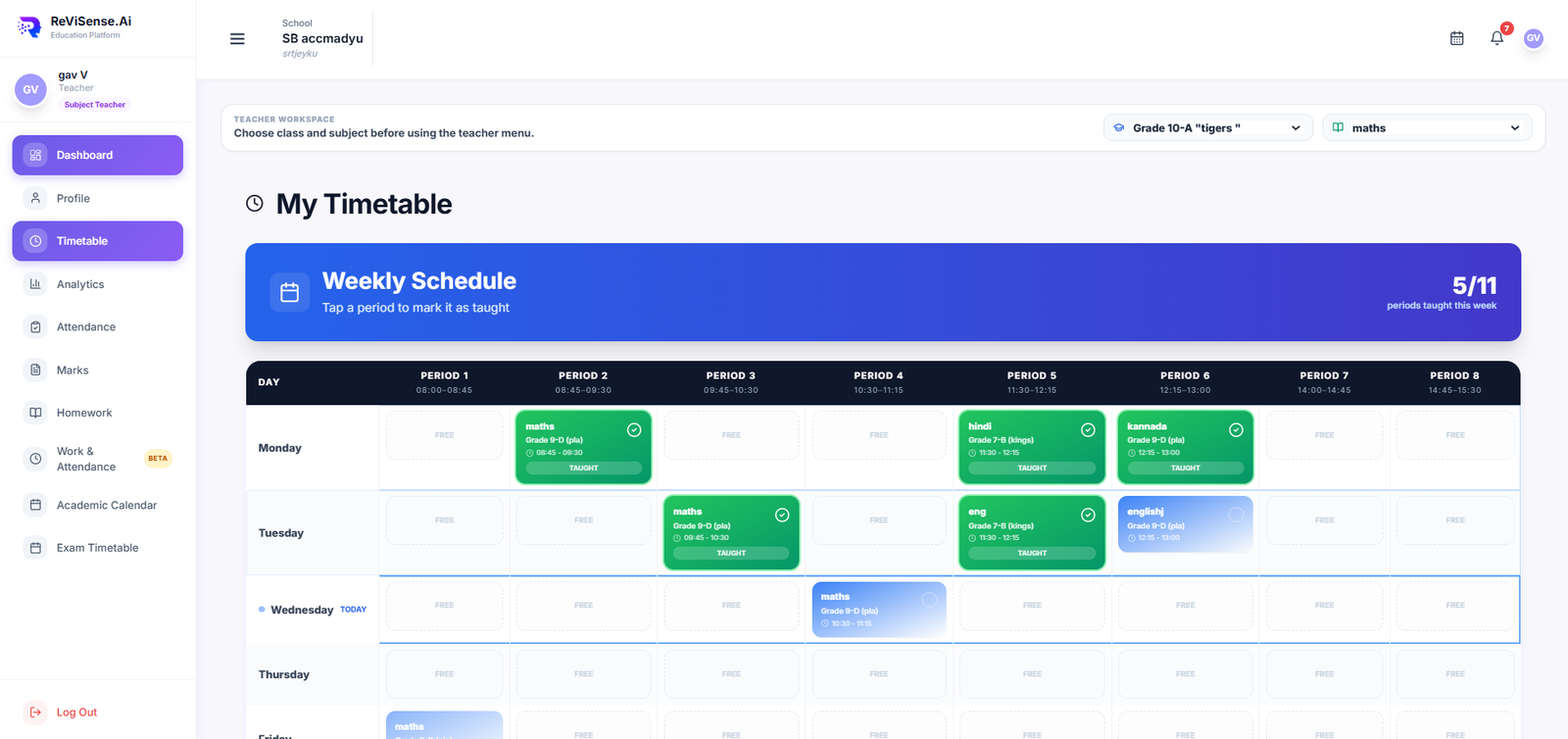
Every period, every class — tap to mark a session taught. Portion progress feeds back to the principal automatically.
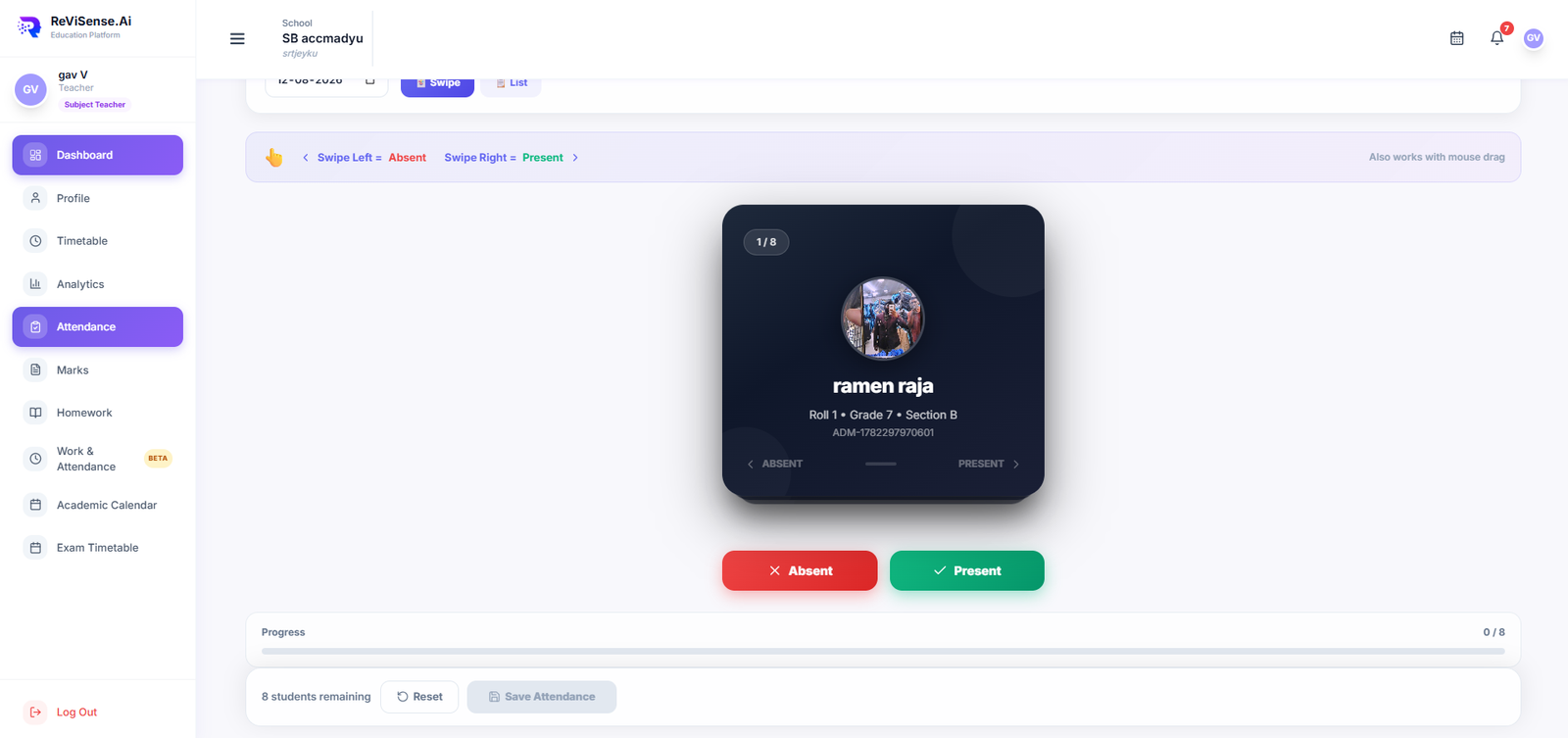
A whole class in under 60 seconds — swipe right for present, left for absent. Parents get notified instantly.
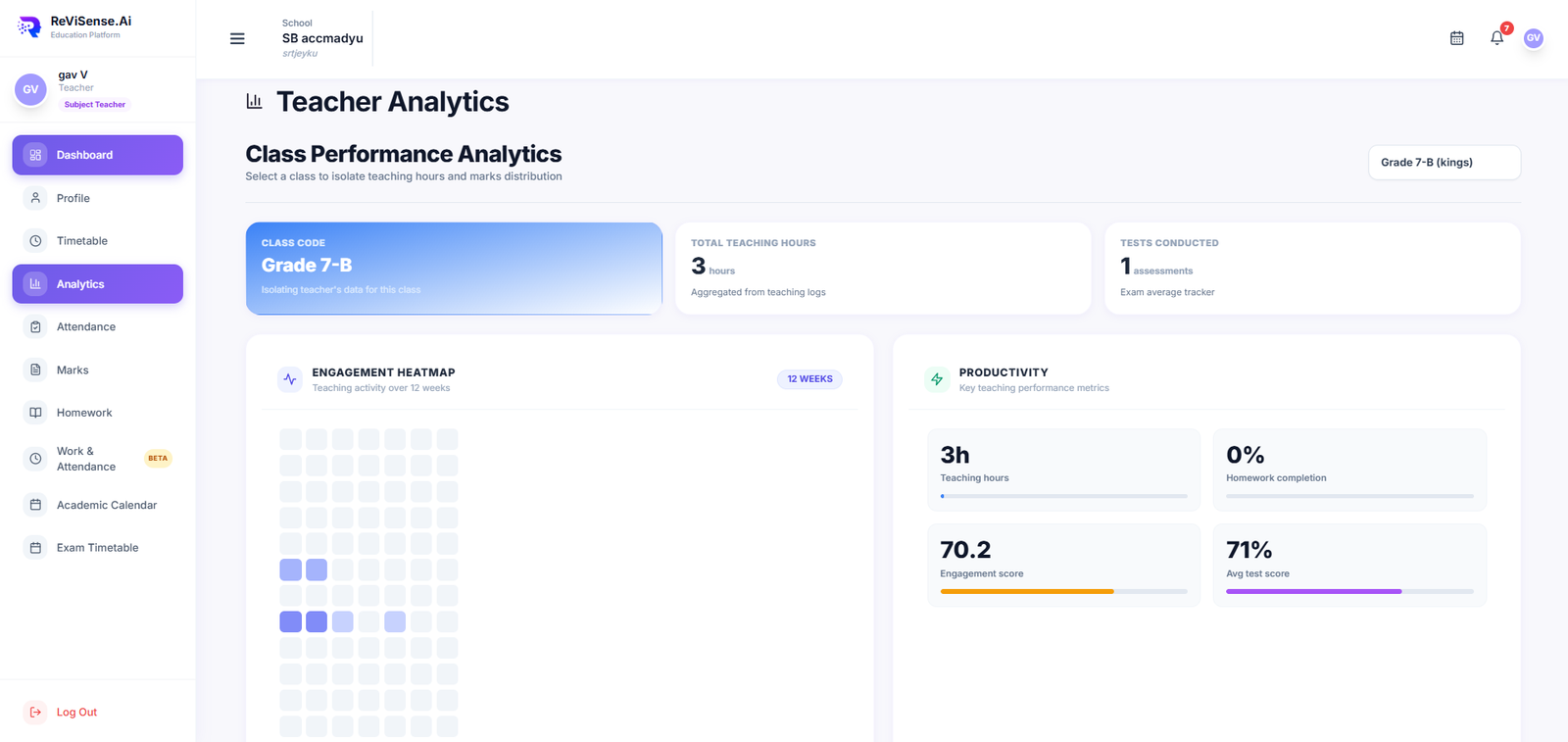
Twelve-week engagement heatmap with productivity KPIs — spot dips before they become grade problems.
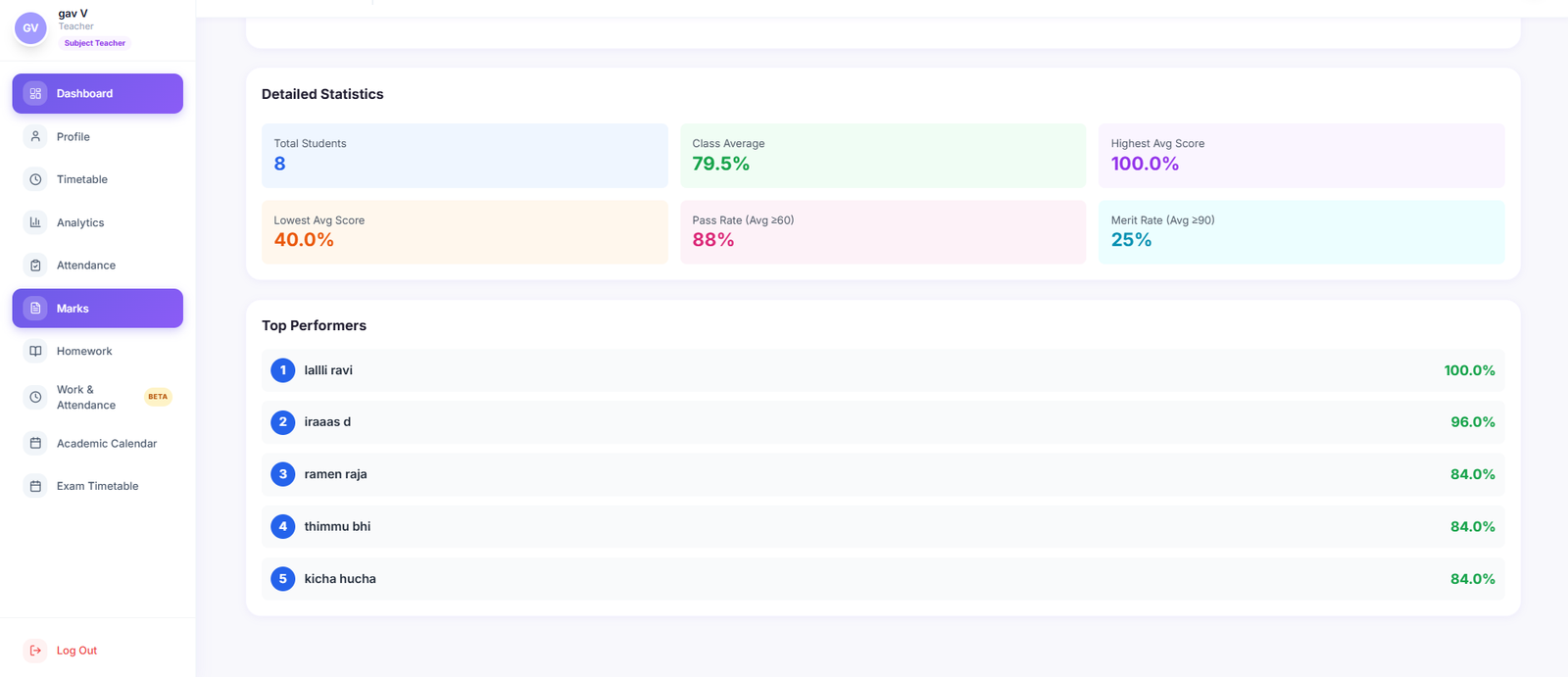
Class average, pass rate, merit rate and top performers — every metric your monthly review needs, live.
For Students
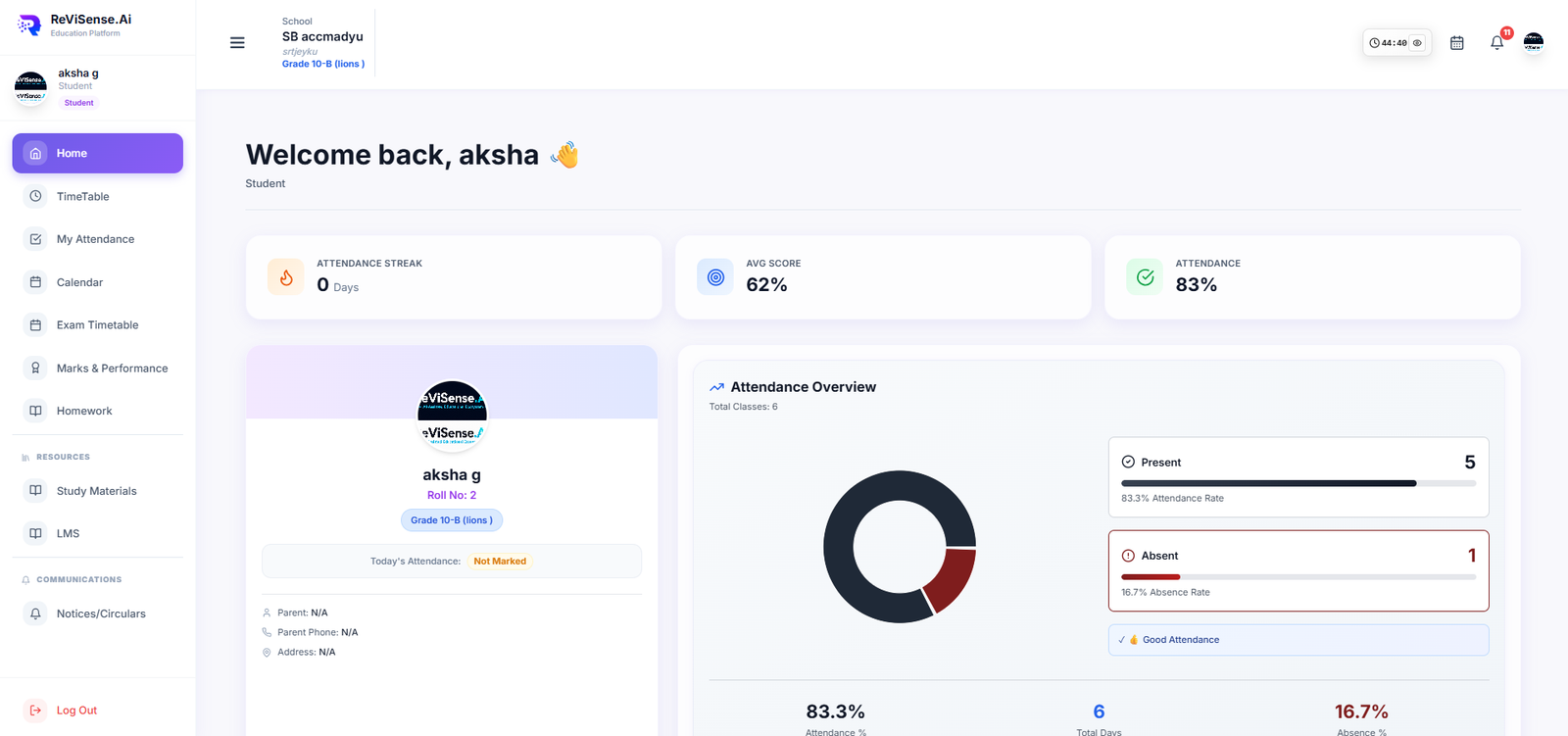
Welcome screen with attendance streak, average score and today’s status — the one place a student needs to open.
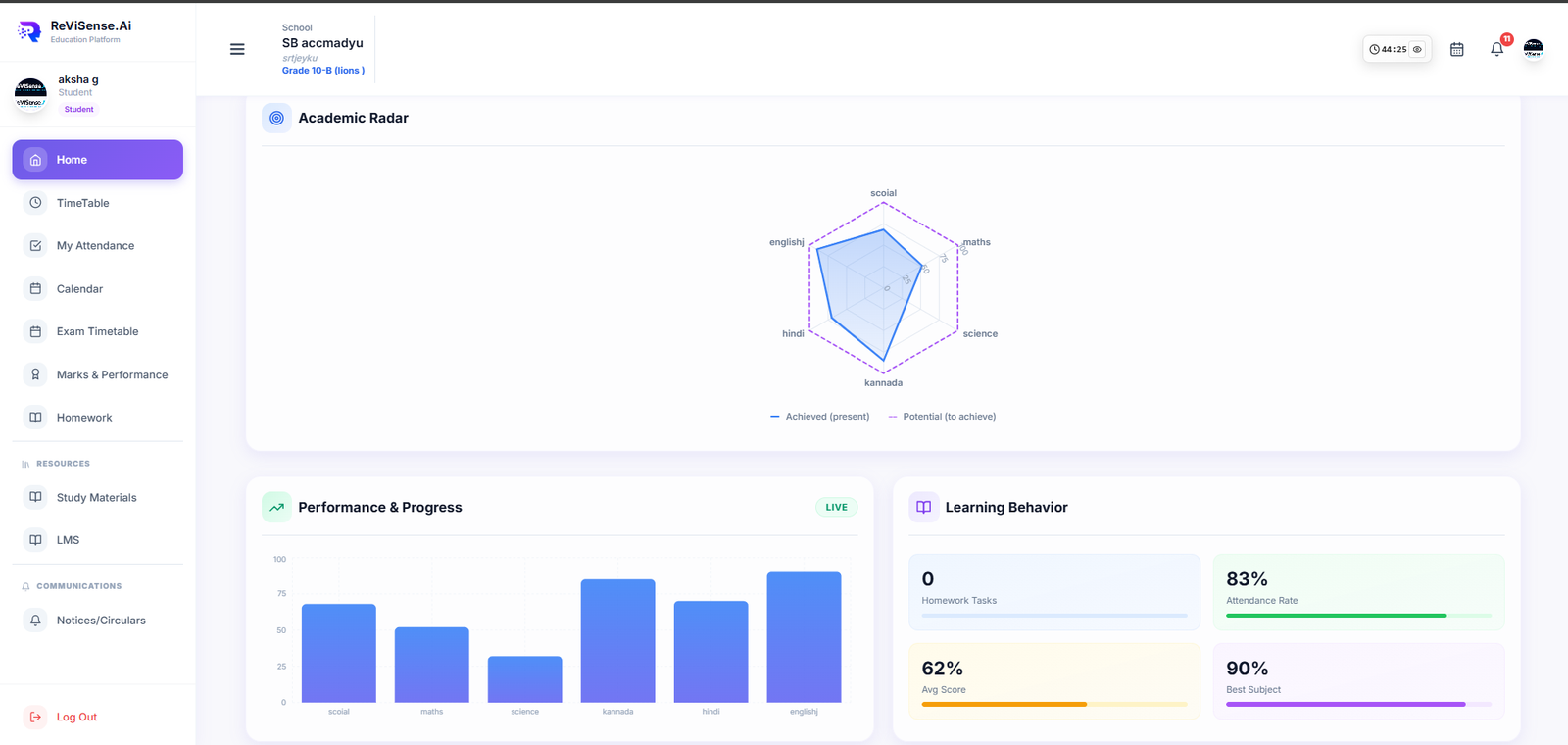
Achieved vs. potential per subject, with learning-behaviour tiles — turns raw marks into a growth conversation.
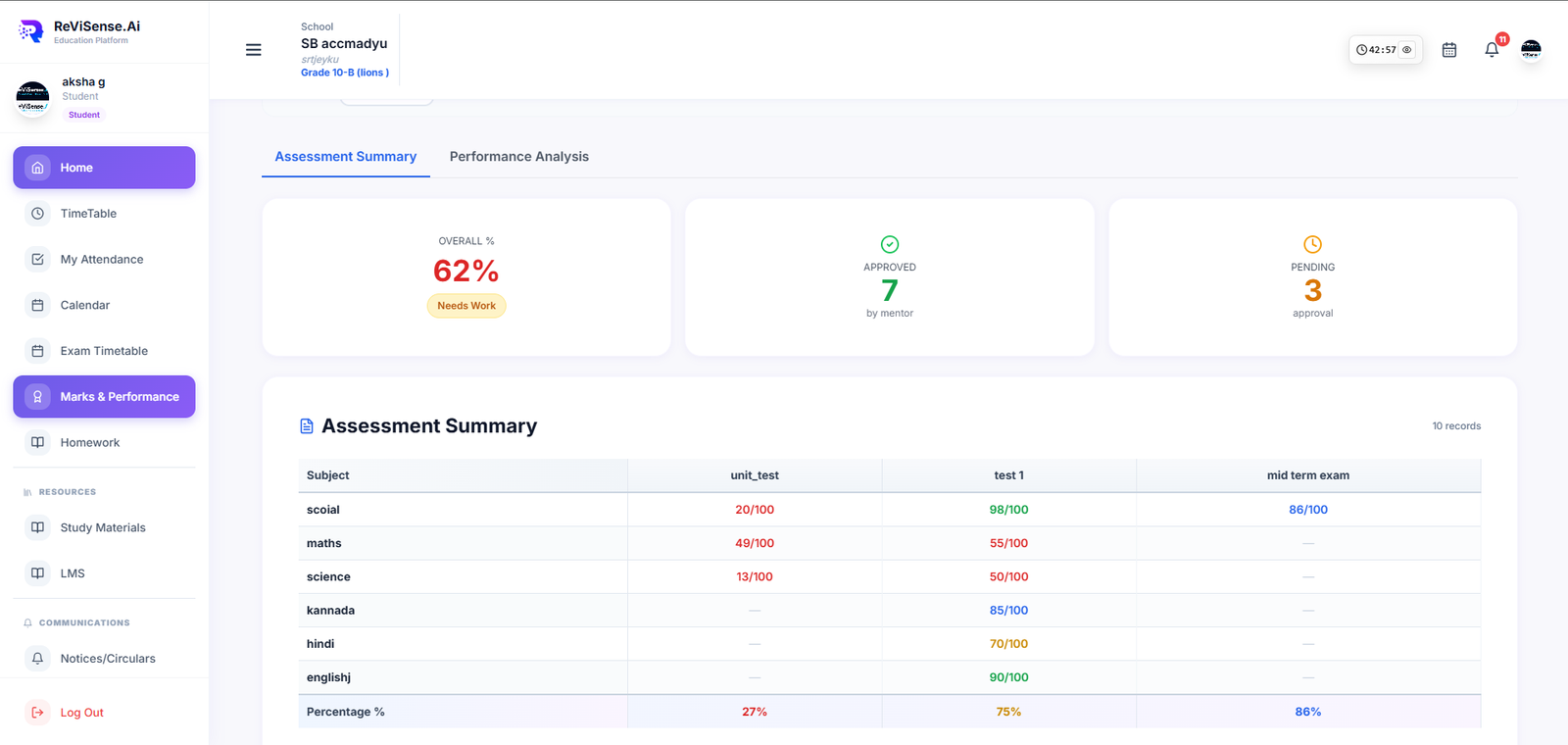
Every unit test, term exam and homework score in one grid — with mentor approvals surfaced.
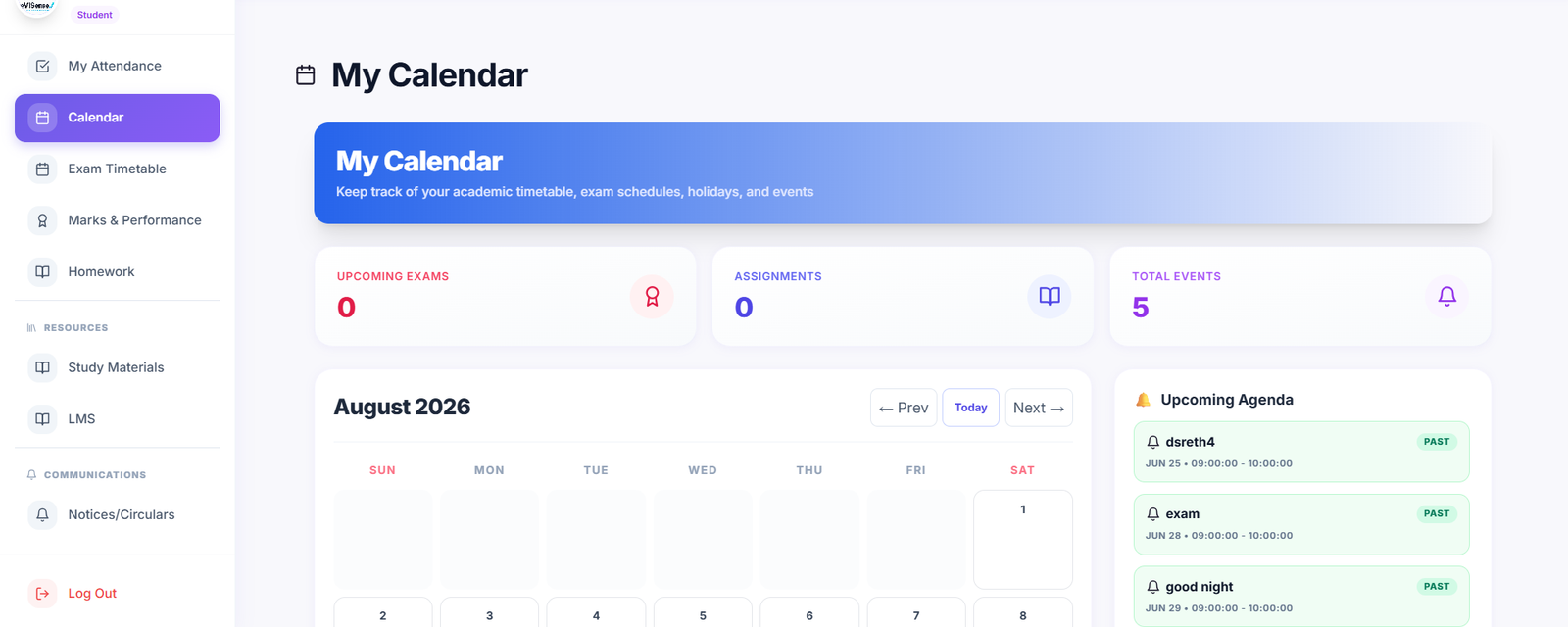
Timetable, exams, holidays and personal agenda — auto-synced from what teachers publish, never manually entered.
Dual AI Infrastructure
The intelligence layer powered by Revision AI (Student Copilot) and Question Paper Generator (Educator Engine).
Explore 2 AI Engines →Inside ReViSense.AI
Governed academic AI — grounded in your syllabus, controlled by teachers, delivered inside your School OS. UI shown as icons; product is invite-only pending institute provisioning.
Chapter-aware summaries, flashcards and mind maps, plus voice interaction in six regional languages — always within your syllabus scope.
Generate exam-ready papers with a target difficulty curve (Easy → HOTS), instant marking schemes and one-click export to PDF or the School OS exam portal.
Explain, Simplify, Example, Quiz, Flashcards and Translate — grounded in the concept the student is on, not the whole internet.
Institution defines the boards, grades and syllabi. Teacher approves the material. AI stays inside those boundaries by design.
Student learning ecosystem
Contextual content, revision, practice and exam-oriented preparation.
Explore Learning Universe →Inside RVS AI Learning Universe
A textbook becomes an interactive knowledge universe. Every chapter opens into eight connected views.
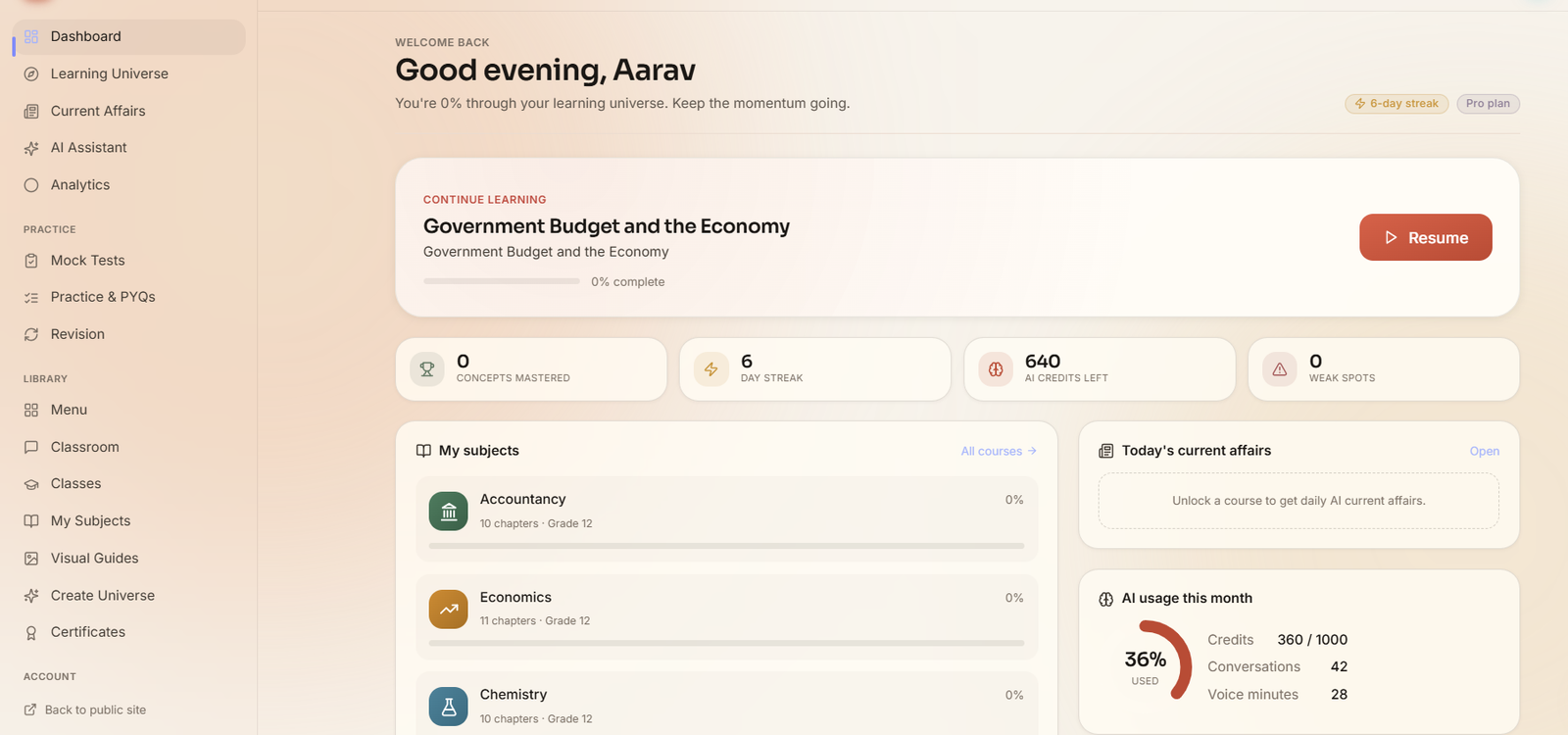
Greeting, streak, AI credits, “continue where you left off,” and every subject the school assigned — one page, no lost tabs.
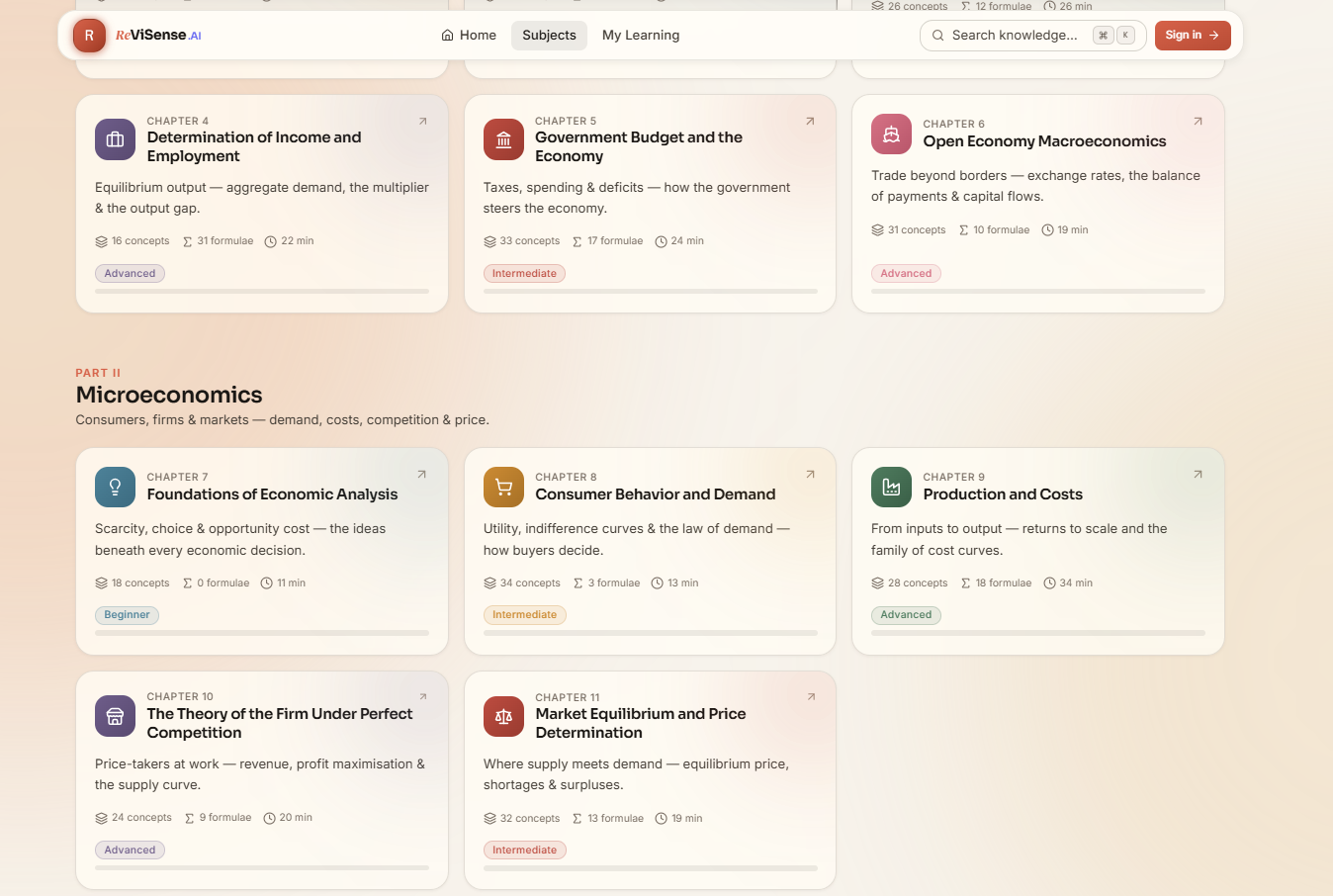
Chapters as cards — concept count, formula count, expected read-time and difficulty tag. See what you’re getting into before you commit.
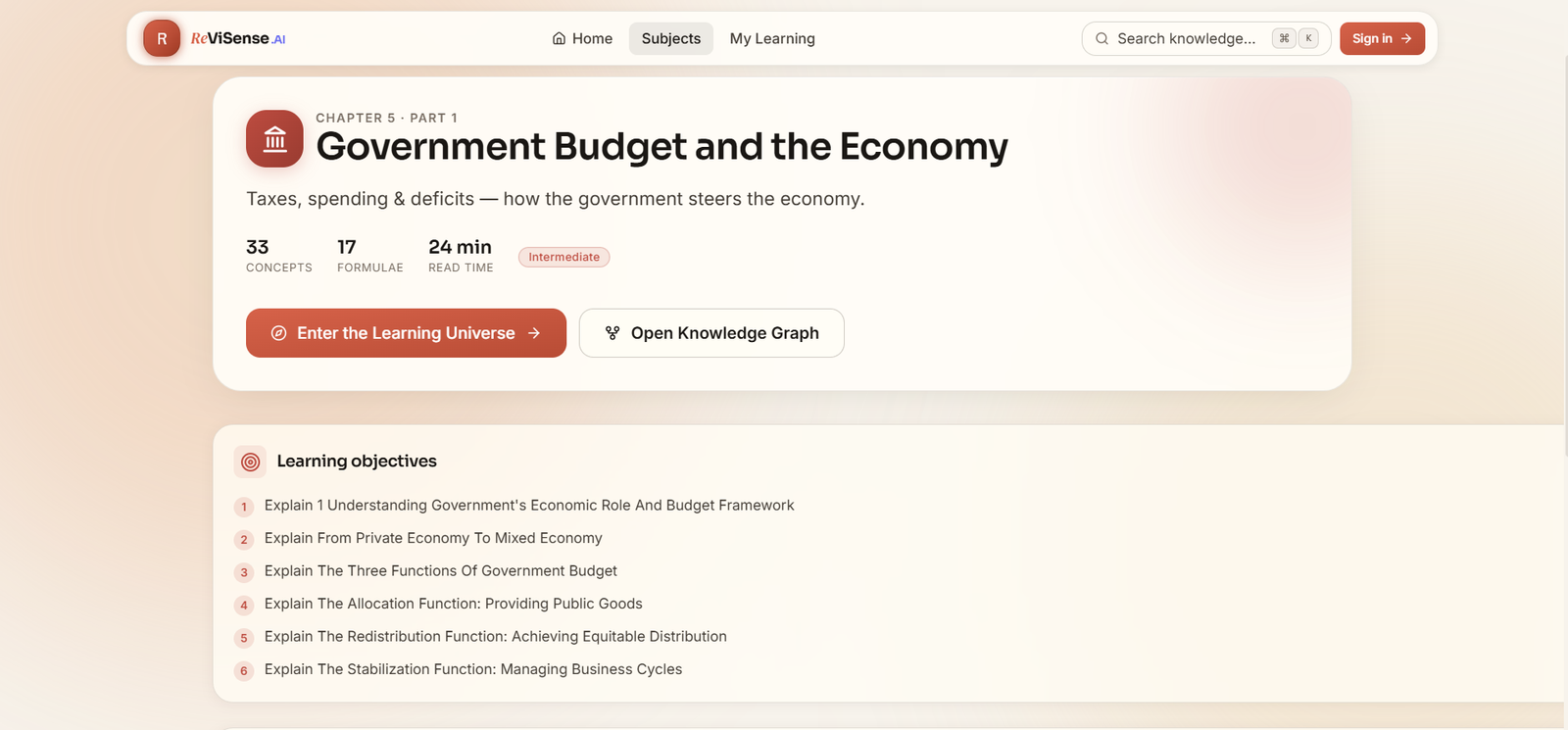
Every chapter opens with what students should be able to do by the end — the exam-relevant capabilities, not just topic names.
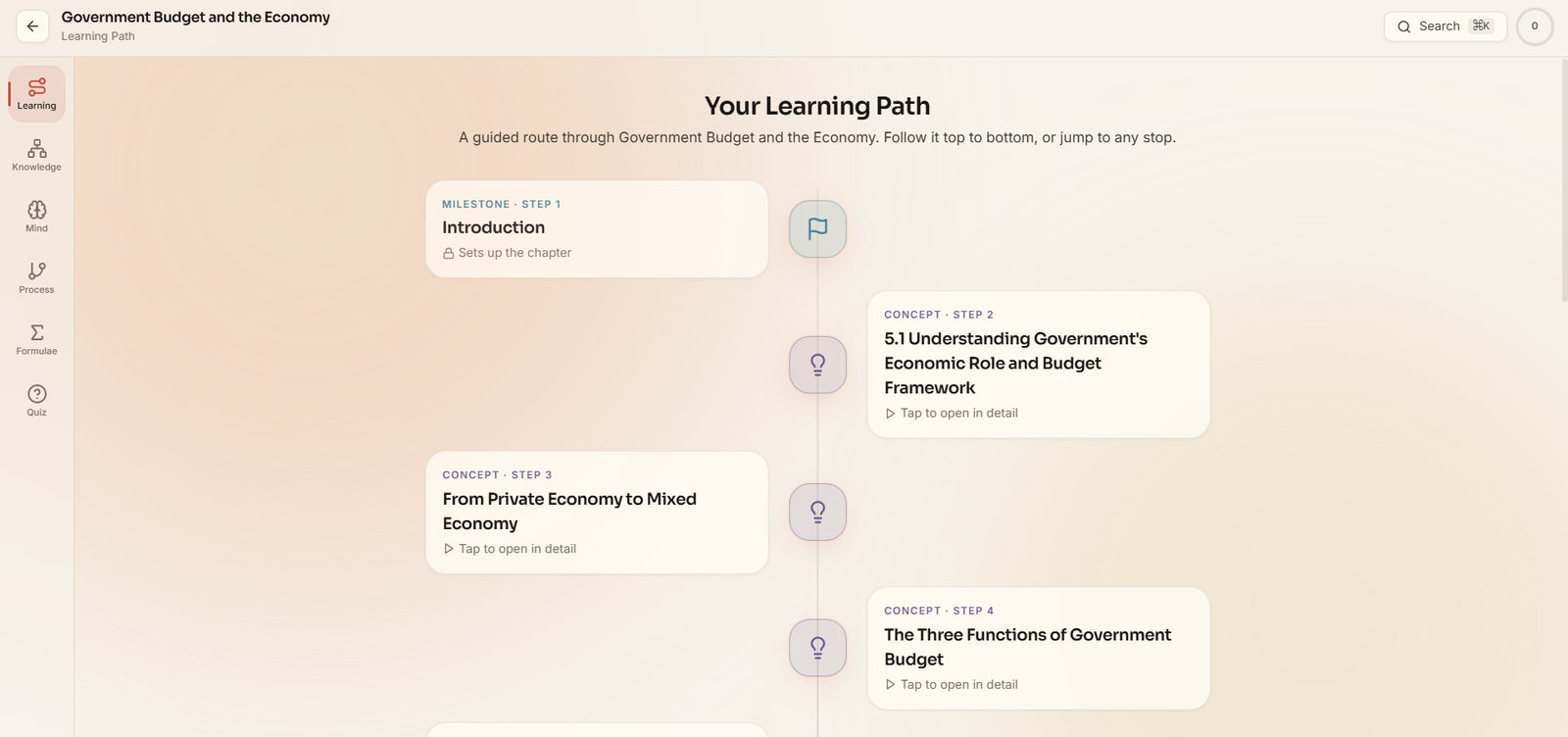
Milestones, concepts and checkpoint quizzes laid out top to bottom. Follow it in order, or jump to any stop.
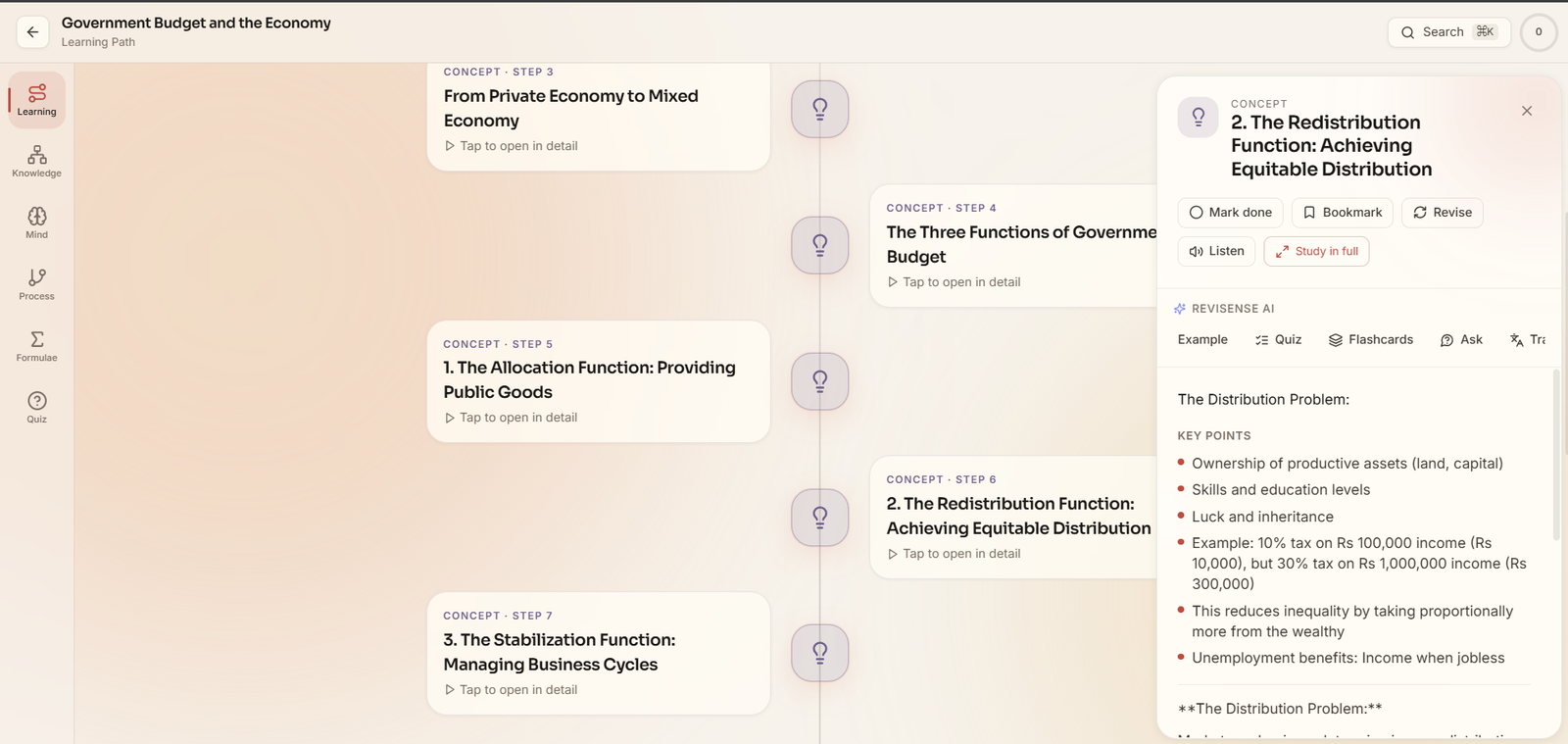
Explain, Simplify, Example, Quiz, Flashcards, Ask and Translate — every action bounded to the concept.
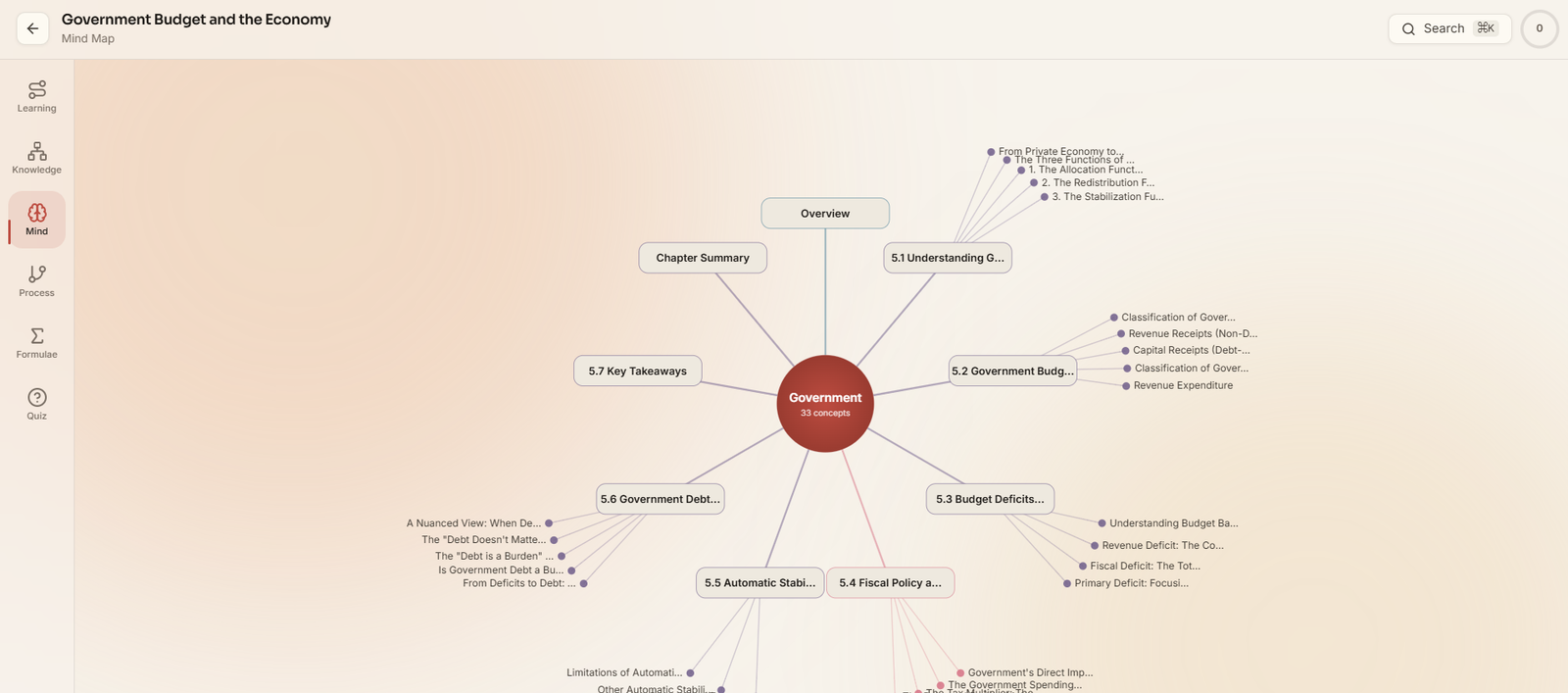
Auto-generated concept graph. Perfect for the last-hour review before an exam.
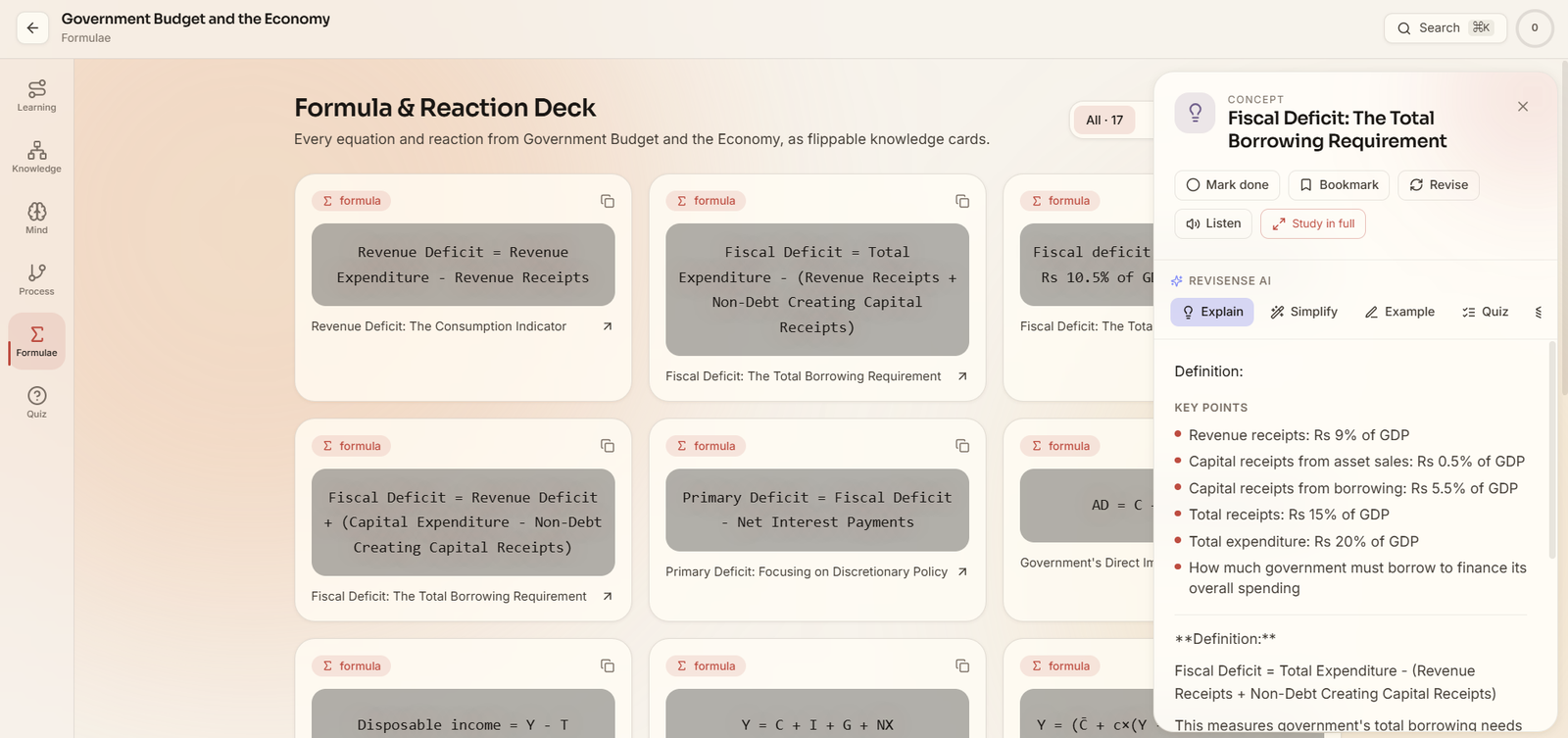
Every equation and reaction extracted into flippable cards — quick-scan on the front, worked examples on the back.
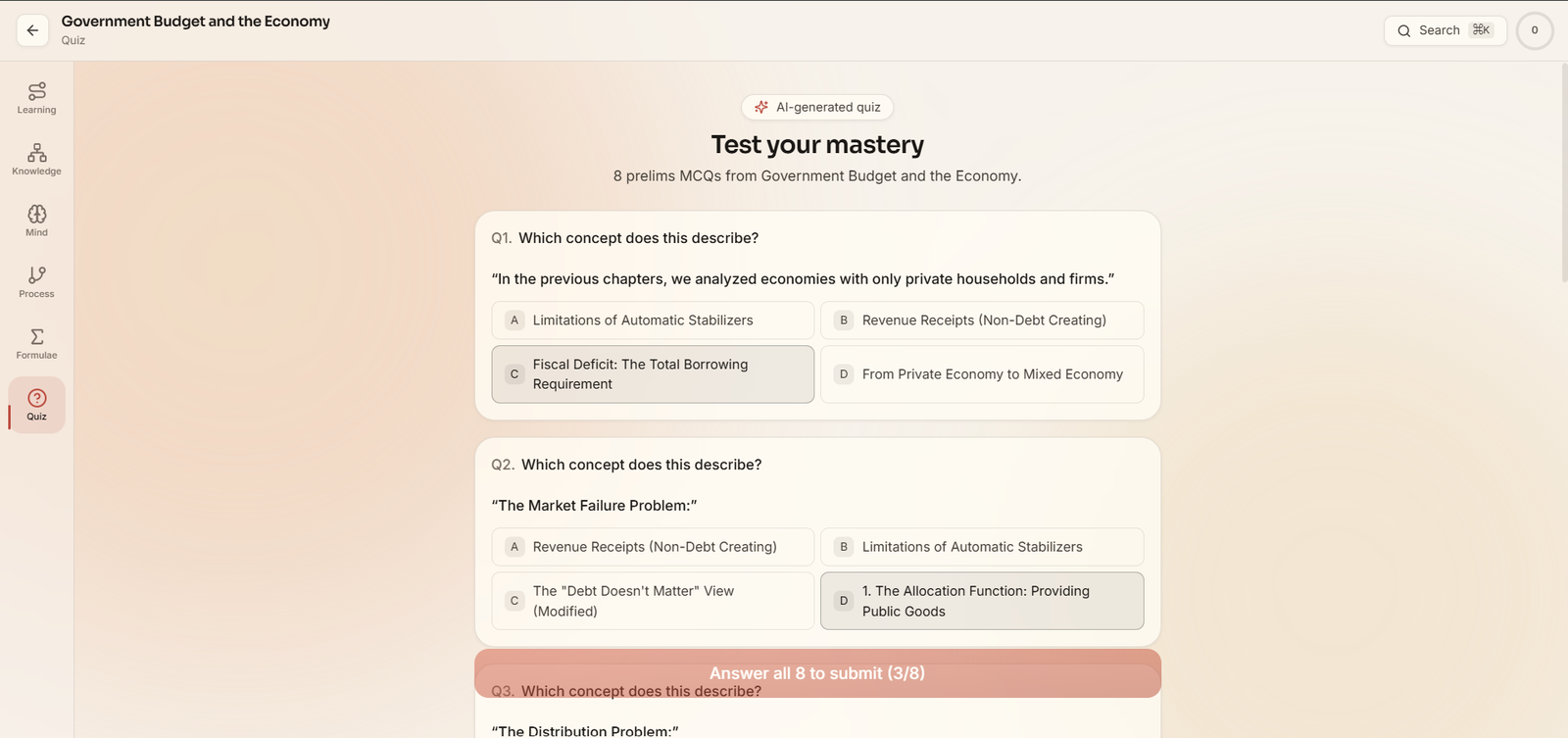
An 8-question MCQ set generated from the chapter with instant scoring — students find their gaps before the teacher does.
Executive & Academic Intelligence
From reports to actionable institutional intelligence. Not fragmented dashboards — answers to the real questions principals, academic heads, and teachers ask every day.
Open Dedicated Analytics Suite →Intelligence across all 6 campus roles
Customized analytical surfaces configured specifically for each institutional stakeholder.
Overall institution health score, fee recovery rates, daily attendance variances, and priority escalations.
Subject performance curves, submission rates, homework compliance, and portion completion trajectories.
Curved polar mastery radar, unit-test progress curves, and chapter retention analytics.
Classroom & lab technology
The physical layer of the ecosystem — from digital boards to holographic learning.
Explore Smart Infrastructure →Experiential future-skills
Lab design, kits, teacher enablement and project pathways aligned to NEP and CBSE experiential learning goals.
Explore Robotics Labs →See it live for your institution.
The best way to explore RVS features is a tailored walkthrough with your team. Bring your questions — we'll bring the demo.